Winter hauling & construction
Rime Valley
Drive snowy mountain roads, haul salvaged materials, and rebuild a quiet valley from your first workbench to a working beacon.
A desktop browser with keyboard controls and WebGL is recommended. Touch controls are included. The menu has picture-quality and steadier-camera options.
A little about the game
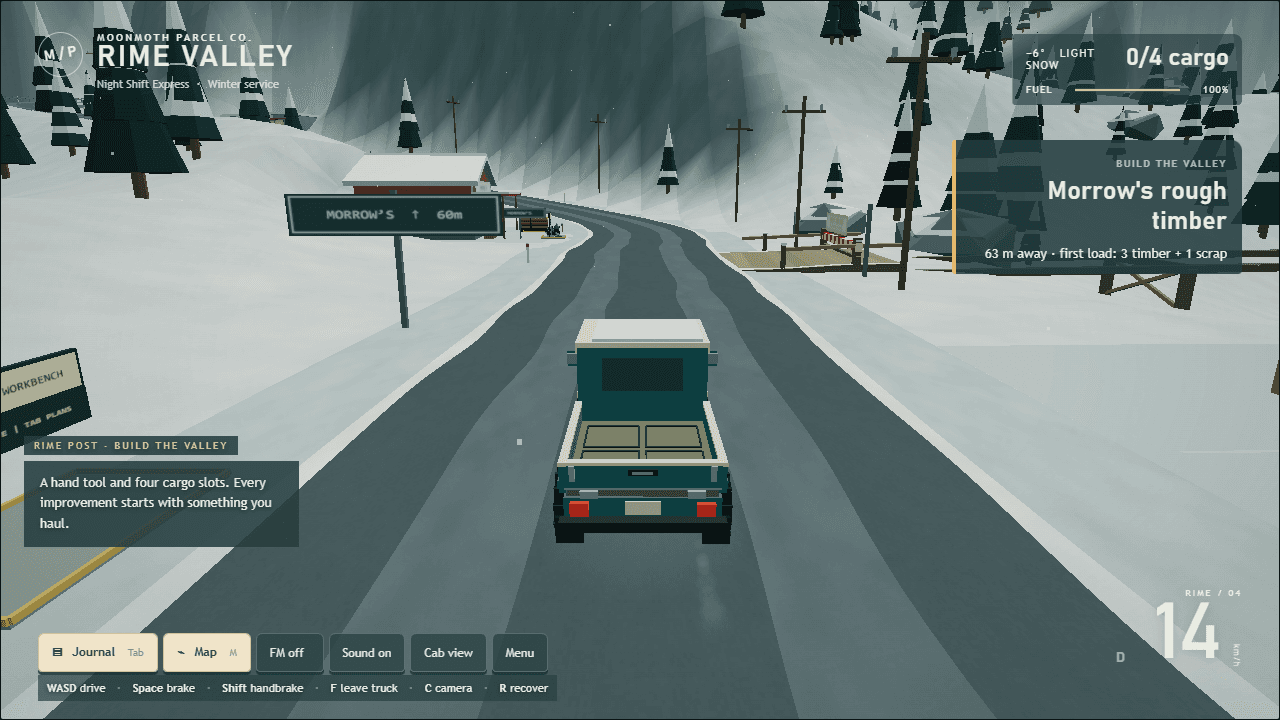
A tiny truck and a few rough materials are the start of something useful. Walk to salvage sites, load the flatbed, and bring your haul home. Build a workbench, earn better tools, repair the bridge, and restore the beacon. Snowy roads and a moving load make each trip part of the work.
Your first few minutes
Choose Start building. Your first useful load is three rough timber and one scrap from Morrow's salvage area. Press F to board or leave the truck, and hold E to salvage. Bring the materials home, open the journal with Tab, and build your first workbench.
Your save stays with you
Progress lives in this browser on this device. Clearing this site's browser storage removes it. No account or login is needed, and saves are not uploaded to a server.
The game saves construction progress, cargo, and a truck checkpoint automatically. Return using the same browser and device to continue. Save export and import are not available in this release.
At the controls
- WASD / arrows
- Drive or walk
- E / F
- Interact (hold to salvage or build) / board or leave the truck
- Space / Shift
- Brake / handbrake
- C / Q
- Change camera / choose nearby material or recipe
- T / G / V
- Tailgate / drop material / select earned carry mode
- Tab / M
- Journal / road map
- R / Esc
- Roadside recovery / pause or close a menu
The game's own menus include more controls and settings. Sound starts after you interact with the game.