First-person deathmatch
Worms FPS
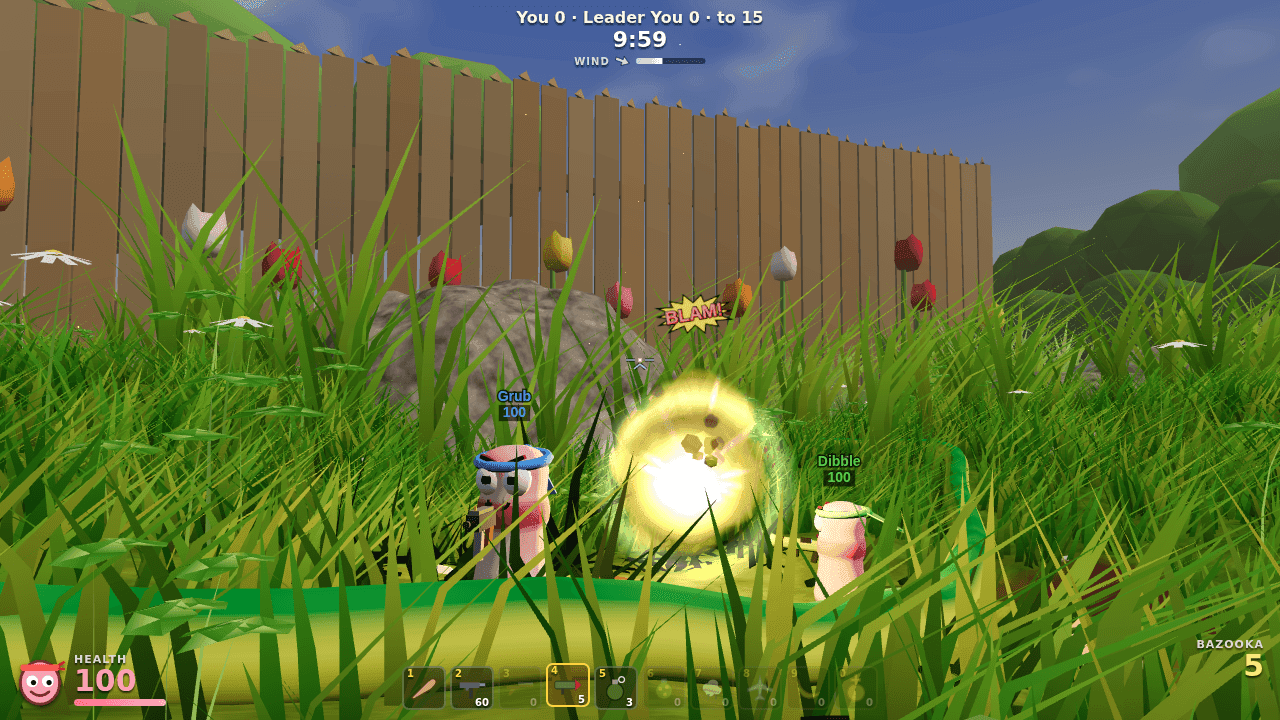
Honey, I Shrunk the Worms: a first-person deathmatch in a giant backyard. Destructible lawn, bazookas, sheep and the Holy Hand Grenade against 3 to 7 bots.
Needs a browser with WebGL 2. Best with a keyboard and mouse on a desktop or laptop. Phones and tablets get a touch stick and buttons; turn the phone sideways. The menu has a quality setting for slower devices.
A little about the game
You are worm-sized in a back garden where grass blades tower overhead, pebbles are boulders and a tipped flowerpot is a fortress. Every explosion digs a crater in the lawn, so cover disappears as the match goes on. You start with a bat, an Uzi, a bazooka and grenades. Parachute crates bring the shotgun, cluster bombs, sheep, air strikes, banana bombs and the Holy Hand Grenade. Play free-for-all or team deathmatch against 3 to 7 bots on Easy, Normal, Hard or Insane, or pick Mixed to give each bot its own level.
Your first few minutes
Pick a mode, the number of bots and a difficulty, then press Start. The mouse locks to the game; if you see "Click to play", click the game. Move with WASD, aim with the mouse and click to fire. Hold the button to charge a throw, and press R to change a grenade's fuse. First to the frag limit (a team total in team deathmatch), or the most frags when the time limit runs out, wins.
Your save stays with you
Progress lives in this browser on this device. Clearing this site's browser storage removes it. No account or login is needed, and saves are not uploaded to a server.
Matches are not saved. Every menu setting is remembered in this browser: the match rules (mode, bots, difficulty, limits, mines, crates and map seed), your name, look sensitivity, invert Y, field of view, quality and sound.
At the controls
- WASD / mouse
- Move / look
- Click / hold
- Fire / charge a throw (or set off your sheep)
- Right-click
- Fire Punch with the bat, underhand lob with throwables
- Space / S + Space
- Jump / backflip
- Shift
- Sprint
- 1–0 or wheel / Q
- Choose weapon / last weapon
- R
- Grenade fuse
- Tab
- Scoreboard
- Esc or P / M
- Pause / mute
- Touch
- Left stick to move (push to the edge to sprint), drag the right side to look, FIRE / JUMP / ALT buttons, ◀ ▶ or ☰ to change weapon
The game's own menus include more controls and settings. Sound starts after you interact with the game.